Showing posts with label Blogger. Show all posts

Tuesday, July 16, 2013

For PHP applications CLOTHES Distro Online Shop

Be The First To Comment
The PHP application I got from Mas Lumbung, he implemented a system based on CodeIgniter PHP. For those who are looking for a job in the future to issue final project at college, this application is suitable to be used as a reference to the supervisor. Screnshoot following it:

cool distro

He said, in this application I just use a simple web programming framework without alias still using conventional programming techniques. Coding it is very simple and easy to understand, but if it is developed to a much more complex because it will be difficult once the application is not OOP. 

To Make Link Download HERE

Thank you'r review this article blog. May be a good benefit for all bloggers. regards

Solution for a confused parse Adsense Ads

Be The First To Comment
Be careful to parse the given code google adsense ads, these include a violation of Adsense TOS. Yesterday I perbah melaukan this mistake, and get e-mail from him on my adsense account. Had confused how to parse adsense accordance with the TOS, I finally found this link. For those who want to parse adsense code please just through this blog, just enter the ad code and press Encode.


PARSE ADSENSE 

paste the adsense ad code to be parsed, in the box !

Why Solve Error Javascript In Blogger

Be The First To Comment
 I was able to visit other blogs to see the information, but unfortunately when I visited my blog to find java script error. Roughly like zoom:


or like the following:


Unfortunately they do not know how to handle it, whereas it is very disturbing to visitors who want to get information from their blog. For blogger friends who are experiencing the problem mentioned above can try my suggestion below:


Please go to edit your template
  1. Find the code </ head> and place the following code just above the </ head>
  2. Find the code </ head> and place the following code just above the </ head>
  3. <script>jQuery.noConflict();</script>
  4. Save your template.

Thank you'r review this article blog. May be a good benefit for all bloggers. regards

Friday, July 12, 2013

Trendy and Elegant Website Campus, Free

Be The First To Comment
Although only made ​​within 1 week, the application site for the campus has been pretty very good in my opinion. Sorce contained in this website include the application is for the entire academic interests of a campus. In terms of appearance do not say anymore, because for me it was very elegant for desaigner a campus website. Curious to see how the appearance of the campus website, please refer to the picture below:


Nice is not it .. Interested in trying to implement it on your campus? Immediately place the link to download the application from this website, please.

Thank you'r review this article blog. May be a good benefit for all bloggers. regards

Hospitality Management application source code with a simple programming language C #

Be The First To Comment
Hospitality is very important for the application of a system-based hotel management. This application should be there, and no doubt very difficult to manufacture. Here I quote from Mas Lumbung, simple Hospitality Management, cekidot!


Her following screenshot

This application is very simple (knowingly, manufacturing process only 5 days), but it is enough to be used as study materials for building an information system and analyze the system of a company. Moreover, it also can be used a reference for the task materials.

Why, why??? Since I already feel how hard to find examples of references to a hotel management system without having to do research directly to the hotel in question. With this application examples hospitality, I would expect colleagues who happen to find examples of hospitality applications and happened to stop in my blog, can have an idea of ​​the actual hotel information system (although not like the truth and still many shortcomings) and can be used as a reference for the applications that will be made ​​later counterparts.

Below, I have provided a link to download the source code of simple hospitality applications with C #. Hopefully it can be useful for all peers.

To Download Klick Here 

Thank you'r review this article blog. May be a good benefit for all bloggers. regards

Tuesday, July 9, 2013

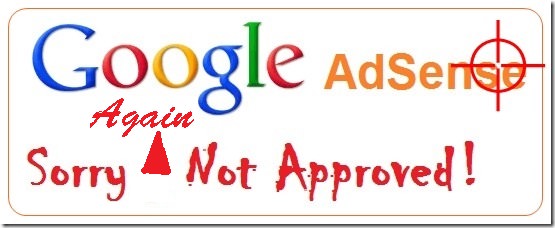
Sad! Finally I do not approve this Blog to adsense publishers

Be The First To Comment
Hello dude blogger, was about 07.00 pm, I received a return e-mail from google adsense ads on the approval of google adsense. Hopefully accepted as an ad publisher part in this blog. When I go, here's the contents of the e-mail:


Hello,

As mentioned in our welcome email, we conduct a second review of your AdSense application once AdSense code is placed on your site(s). As a result of this review, we have disapproved your account for the following violation(s):

Issues:

- Site does not comply with Google policies

Tips:
Here are some recommendations to help you improve the user experience on your site and comply with AdSense criteria:
- It’s important for sites displaying Google ads to offer significant value to the user. As a publisher, you must provide unique and relevant content that gives users a reason to visit your site first.
- Don’t place ads on auto-generated pages or pages with little to no original content.
- Your site should also provide a good user experience through clear navigation and organization. Users should be able to easily click through your pages and find the information they’re seeking.

Please refer to the Webmaster Quality guidelines for more help on how to provide a positive experience for your users. As soon as you’ve made the necessary changes, we’ll be happy to take another look at your application. Bla, bla,bla....bla.
 
Yahhh ... what can be said, apparently this blog can not be part of the google adsense publisher. It's kinda sad .. But alas it is the right of all Google. Hopefully your blog publishers who sign up for google adsense accepted. Congratulations run 1434H Worship Fasting for a run. Friend, may the blessing and mercy for us all. Amen.
 
Thank you'r review this article blog. May be a good benefit for all bloggers. regards

Sunday, July 7, 2013

Anxiously looking forward to hopefully google adsense Approval

Be The First To Comment
Hello bloggers everywhere, Today I will be sharing on this blog sign up to be part of the google adsense publisher famous. Yesterday was 3 times say registering. Unfortunately in the first registration, adsense still not memeperkenankan this blog to be part of the ad serving. Here I attach an email from google adsense party at first registration:

Dear customers,
Thank you for your interest in Google AdSense. Unfortunately, after reviewing your application, we currently can not accept you to get into the AdSense program.
We did not approve your application for several reasons listed below.

problem:
-
Inadequate content
---------------------
More Details:

Inadequate content: In order to get approval for AdSense and display relevant ads on your site, your page should contain sufficient text for our specialists to conduct a review and our crawlers to determine the theme of your page. and blah, blah, blah ...
 

I am confused on this email, but I have written articles for've reached 100 posts. Begin to ask and I was looking for information to google, it said the content may be a direct copy-paste, so the image is detected very difficult to make a load google indexing this blog. I then confirmed the articles is problematic. and back medaftar back. At this second stage, the same error still occurs. I am confused what exactly add any of these posts. I started to sort out which one should be displayed which are not, as well as add new content. I started signing up for the third time. Here's the email from google adsense on registration to three:

Welcome to AdSense!
We have completed a partial review of your application. However,
You will not see the actual ad
http://amazonezona.blogspot.com/ until we finish the review
your site completely. You will get a blank ad instead,
which combined with the background of the site. Once the review has been completed,
Your application will be fully approved or not approved. if
approved, you will see the actual ad. Blah, blah, blah ...

Whoa, glad not to play it but not necessarily approved. I started menenempatkan ad code for this blog. However, to this day there has not been signs of emergence from google adsense ads. For this diketehui already begun ahead of the third day of the adsense email on registration to three. Hopefully this blog can be a part of google adsense publishers, anxious ..


Thank you'r review this article blog. May be a good benefit for all bloggers. regards

Saturday, July 6, 2013

Blog description is Core For Visitors

Be The First To Comment
When someone surfing and searching for information on the Internet, what is actually written? True, visitors are looking for Blog Description. To write down what the content of our blog description alone is hard enough, let alone making Description The SEO Friendly Blog.
Well, on the basis that I tried to help you, to help you in Charge Description SEO Friendly Blog that course
Keep in mind, that we would have difficulty writing Content / Title / Description The SEO Friendly without understanding the meaning of SEO Friendly advance
Next let's go to Inti discussion on How to Charge Description The SEO Friendly Blog, actually way is easy.
With How to Charge Description Using the Vertical Bar BlogWhat is the Vertical Bar? Perpendiculars like this (|)Continued What is the function of the Vertical Bar for SEO? If my friend, want to write two words and want to combine it with the previous word without repeating the word no, my friend can use the Vertical Bar, confused? Similarly, I am also confused wrote it, maybe we get into an example to make it easier:
Suppose buddy berniche SEO Blog, and wanted to write a description like this "The Learning SEO For Beginners, Intermediate, Professional SEO studied only in"
At first glance, the above description does look correct, but less "friendly" in the eyes of Search Engines. To make it more easy to understand, we make only parable. If There are people who type in keywords "SEO For Beginners Learning Place" clear and almost certainly blog my friend will be in Halam First SERP
However, if there is a different type in keyword "SEO For Professional Learning Place" is not necessarily Blog buddy are in Home again, because the description for the blog that my friend did not represent Keywords above, because it is cut off by the word "Beginner"
Here, the role Blog Vertical Bar to save pal from mistracking Keywords
So if my friend write a description using the Vertical Bar Blog like this example:
Place To Learn SEO | Beginners | Intermediate | Professional SEO Just sit. This will bring up the 3 powerful Keyword:
1. Place Learning SEO For Beginners Only in SEO studied2. Only place in the Intermediate SEO Learning SEO studied3. Place Learning SEO For SEO Professionals Only in studied
Pretty obvious right buddy? I think that's all, and Hopefully Helpful.
For more details, please visit this link

Thank you'r review this article blog. May be a good benefit for all bloggers. regards

Ways Optimization SEO SERP Search Engine Results For The Optimal

Be The First To Comment
SERP or Search Engine Result Page often indeed be measured, how strong of a SEO Blog. Simply, if you get a blog ranked first in the SERP then it proves how powerful SEO Optimization techniques that you use.


Talk about Optimization Techniques in SEO, SEO Science Engineering or at least divided into 2 (two):
If you want to improve SERP results instantly (not natural), then you need to try a Black Hat SEO technique, however, for you are with a natural, not at all times wear the Black Hat, White Hat use it.

If for Method Optimization On-Page SEO In itself that is often used is to put pressure on the sentences using Bold, Italic or Underline the words that are supposed to represent the Title Keyword Articles and Posts that we write.

Meanwhile, Optimization Way In Off-Page SEO is by doing Blogwalking (visit other people's blogs), whether just visiting and just read an article on the blog others can strengthen our Blog SERP results? of course not, make sure you leave a trail of comments in these blogs to get backlinks from blogs that you commented on.

How SEO Optimization of both the above, I think personally Off-Page Optimization was very influential on the outcome of the SERP so, do not just busy with Display Optimizing Your Blog, was a time to look for quality backlinks to your blog.

Thank you'r review this article blog. May be a good benefit for all bloggers. regards

Want your blog famous? Here's his solution seo

Be The First To Comment
Obviously every blogger / web owners want to blog / website it is ranked first in the search engines or at least a better rank. Actually there are many ways to optimize these things and this time I will share 7 tips on SEO for bloggers.
1. ContentTalking about the course content related to a matter of quality and quantity. About quantity may be ruled out, because in reality the visitors not noticed the large number of posts you have, but the quality of the posts you make. When visitors feel that you write interesting content to read, of course they will not hesitate to go back again into your blog. And that's when you try to update the contents of your blog posts with things that are interesting and of course new because search engines love the fresh stuff. As a result of your blog too slowly will experience a significant increase.
2. Words and PhrasesWhen someone wants to look for an update on the search engines what they would type? of course a key word! use of words, synonyms, phrases that relate to the content of your post. But remember do not use excessive keywords because it can be considered spam.
3. Title TagIt might sound a little confusing, but the title of our blog posts and tags titles associated with the posting are two different things.Some bloggers make the title only in title tag, this is better than SEO strategy for not diluting the keyword in the title. However, other bloggers start or end the title tag with the name of their blog. This could be good for branding reasons to help readers recognize the name of the blog in the future. If you want the best of both worlds, make sure the post title appears first, followed by the name of the blog (the first word in the title is more often recognized by the search engines).
4. Internal linkLink to your other posts! It might sound a little strange, but the more internal links you have, the "higher" (closer to the homepage) of the articles appeared, and the credit they get with search engines. Imagine all the pages on the web - you want them all to come together and relate to each other, rather than dispersed without connection.
5. Link to other contentYou want Google to treat you as an authority site, so act like one. Authority site is not blind; think about how many links out sites like Wikipedia. Make sure you put the links related to the content of the previous article, it is not jumping leap. Readers who read the linked article will find it more convenient with this interconnectedness.
6. Get linkThe most glamorous way and most successful to start doing this is to write high quality content! Creating an article you that people will want to come back and read again, or recommend it to friends and / or readers. Surely this can be done by writing posts as interesting as possible so that your readers interest.
7. Get readers!Do not give up on the nofollow link as given on Twitter, Facebook, or blog comments. If you have something interesting to add to the conversation, it will naturally bring readers back to your content. And readers that you have will recommend the articles you have with other potential readers!

Thank you'r review this article blog. May be a good benefit for all bloggers. regards

Engineering Seo Improve Alexa Ranking quickly

Be The First To Comment
Alexa rank is one indicator of a site's popularity and is also often used to assess the quality of a site, a site that has a high quality in terms of content, backlinks, and traffic will have little Alexa rank, example: google.com (Alexa rank # 1) , facebook.com (Alexa rank # 2).

Below are some ways / techniques to increase Alexa rank is proven to increase Alexa rank quickly.

Claim Your Site On Alexa Site
Claim Your Site, to increase Alexa ranking before you must register and claim your blog / website in advance and put Alexa Meta ID tag on the head of your template, then Alexa will simplify access your site. Site description, country name and profile is a very important thing when doing claiming. Always use appropriate keywords in your blog theme when describing your site, even if it is a small thing but it is very helpful to increase Alexa ranking on your blog.

Install the Alexa Toolbar In Browser
Install / Install the Alexa Toolbar on your browser are things you must do to increase the Alexa rank. You must update your blog using the browser that is ter-install the Alexa toolbar, all the activities you do on your blog should use the same browser and have installed the Alexa toolbar.

Blog Content Update regularly to Quickly Increase Alexa Rank
Regularly updated content on your blog is a very nice way to increase your Alexa rank, Alexa really love fresh content as in the case with Google. I once read on a site that is well-known that to update the blog 7-10 times in a week will be very quick to increase Alexa rank.

The Qualified Content
Alexa also considering the page view, bounce rate, when the me-ranking your site. Unique and fresh content will make visitors to your blog will be content to be on your blog, create a content that is always appropriate to the theme of your blog, the content does not fit the theme of the blog will take effect negative for Alexa Rank and very detrimental.

Link Building
Alexa also calculate links, or backlinks collection of links that point to your blog will also increase Alexa rank, many ways to get backlinks such as social bookmarking, link exchange, guest blogging, forums, etc..

Blog Commenting
You should be aware that most of the blogs have nofollow attribute in their comment system, It does not help to increase Google pagerank. And, if you comment on a blog aggressively for the long term then you may be a victim of a mass spam by Google. Do not be afraid, you believe it or not, the Google search engine always find intent. If you post constructive comments using keywords wisely, then Google will send a positive signal and help you increase your Alexa rank.

Special Content for Webmasters
Almost all webmasters and blog owners to use the Alexa toolbar in their browser, and If you write a post specifically for those with optimal search engine optimization then your Alexa rank will rise very quickly because they will visit your blog to their browser which is ter-install Alexa toolbar. few examples of content for webmasters like discuss about SEO, Blogger, how to modify your website / blog, etc..

Alexa Pro
If you are a Blogger who was seriously taken up blogging and earn profits in the blog world, there is nothing wrong you try and buy Alexa Pro, as well as to increase Alexa rank quickly, you can also enjoy these features as much from Alexa to promote your website in Alexa search results, add a company logo, a link back to your site, etc.. If you are blogging just simply a hobby like this I better choose Alexa free time.
 

Thank you'r review this article blog. May be a good benefit for all bloggers. regards

How do I write a seo article?

Be The First To Comment
For a blogger to write an article or blog post is something that indeed the obligation, most want a new Blogger blog they look at the first page of Google but they do not know how to get into the first page of Google, in addition to some tips that I've previously cover such a way fast indexed search engine blog, here I will try to review it basic (basic) how to order the blog article that we make more seo friendly. 


Here's the answer:
Structure Title Post (Post Title) and Post DescriptionThe title of the post is the most important and vital because it is something that describes what is in your article, and should you make a post title contains keywords (keywords) that are relevant. Try looking for the wording (phrase) and that many people search for keywords and insert it in the post title, but remember .. relevance remains to be a reference, 5 Article Writing Tips SEO Friendly Blog Post That do not include all the keywords in the post title as if you display all the keywords so it looks inconsequential that makes the reader confused. Similarly, the post description in the form of a brief review of your article so commercialized contain keywords and phrases.

Link (Link) Keywords Important To Pages / Other PagesLink / keywords are important links to other pages that are relevant and appropriate to the discussion in the article that you created, it will increase your page views in the blog and will also drain pagerank.

Content Relevant (Relevant Content)Still keep your content relevant and appropriate for the topic of your blog. It will make the search engines like Google help you to increase your blog ranking in search engines according to the keywords you choose, as an example on my blog about this topic bloggerpeer.blogspot.com have tips tricks Blogger tricks and tips of SEO, so all articles I made containing some of the keywords.Unique content (Unique Content)
You have to think ahead, and clever read what circumstances become hot topics and current trends so that you can pour in an idea to make the article fit your style and your style to create unique articles that you created other than at the other, search engines like Google very fond of unique and fresh content, so keep working and do not duplicate or copy paste (copy and paste) because it will aggravate your blog ranking in search engines.

Use Google Adwords Keyword ToolSometimes we find it difficult to get a lot of keywords that people are searching for, then you can try using a tool that Google is Google Adwords: Keyword Tool, the tool that you do not have to guess about the best keyword tool from Google because it has a collection of words The best key again and the much sought-after trend.
 
Thank you'r review this article blog. May be a good benefit for all bloggers. regards

Friday, July 5, 2013

Breadcrumbs Navigation ordinances made ​​in accordance with the google search index

Be The First To Comment
Breadcrumbs are installing navigational procedures that can be indexed by Google's blog, looks at the Google search engine (Google search), which aims to facilitate the visitor to explore the pages on your blog in accordance with the existing categories. Keen to make it on your blog, please look out for:

 
Login in Blogger :
  • Choose a Template
  • Select the Edit HTML (better back up the template used to avoid errors)
  • Check the Expand Widget Templates
  • If you've previously installed breadcrumbs, please delete the old first breadcrumb code
  • Then find this code ]]> </ b: skin>
  • Copy the code below and paste it just above the code ]]> </ b: skin>
.breadcrumbs {padding:5px 5px 5px 0px; margin: 0px 0px 15px 0px; font-size:85%; line-height: 1.4em; border-bottom:3px double #e6e4e3;}
  • Then find the code <b:includable id='main' var='top'> use CTRL + F for easier search
  • Replace the code <b:includable id='main' var='top'> with the following code
<b:includable id='breadcrumb' var='posts'><b:if cond='data:blog.homepageUrl != data:blog.url'>
<b:if cond='data:blog.pageType == &quot;static_page&quot;'>
<div class='breadcrumbs'><span><a expr:href='data:blog.homepageUrl' rel='tag'>Home</a></span> &#187; <span><data:blog.pageName/></span></div>
<b:else/>
<b:if cond='data:blog.pageType == &quot;item&quot;'>
<!-- breadcrumb for the post page -->
<b:loop values='data:posts' var='post'>
<b:if cond='data:post.labels'>
<div class='breadcrumbs' xmlns:v='http://rdf.data-vocabulary.org/#'>
<span typeof='v:Breadcrumb'><a expr:href='data:blog.homepageUrl' property='v:title' rel='v:url'>Home</a></span>
<b:loop values='data:post.labels' var='label'>
&#187; <span typeof='v:Breadcrumb'><a expr:href='data:label.url' property='v:title' rel='v:url'><data:label.name/></a></span>
</b:loop>
&#187; <span><data:post.title/></span>
</div>
<b:else/>
<div class='breadcrumbs'><span><a expr:href='data:blog.homepageUrl' rel='tag'>Home</a></span> &#187; <span>Unlabelled</span> &#187; <span><data:post.title/></span></div>
</b:if>
</b:loop>
<b:else/>
<b:if cond='data:blog.pageType == &quot;archive&quot;'>
<!-- breadcrumb for the label archive page and search pages.. -->
<div class='breadcrumbs'>
<span><a expr:href='data:blog.homepageUrl'>Home</a></span> &#187; <span>Archives for <data:blog.pageName/></span>
</div>
<b:else/>
<b:if cond='data:blog.pageType == &quot;index&quot;'>
<div class='breadcrumbs'>
<b:if cond='data:blog.pageName == &quot;&quot;'>
<span><a expr:href='data:blog.homepageUrl'>Home</a></span> &#187; <span>All posts</span>
<b:else/>
<span><a expr:href='data:blog.homepageUrl'>Home</a></span> &#187; <span>Posts filed under <data:blog.pageName/></span>
</b:if>
</div>
</b:if>
</b:if>
</b:if>
</b:if>
</b:if>
</b:includable>
<b:includable id='main' var='top'>
<b:include data='posts' name='breadcrumb'/>
Last save your template and navigation breadcrumbs will be ready in the Google index. Hopefully this article how to make this breadcrumbs navigation. At least it was better to share. Greetings bloggers

Enter your email address:

Delivered by FeedBurner


© 2013 BLOG AMAZONE ZONA - Designed by Mukund | ToS | Privacy Policy | Sitemap

About Us | Contact Us | Write For Us